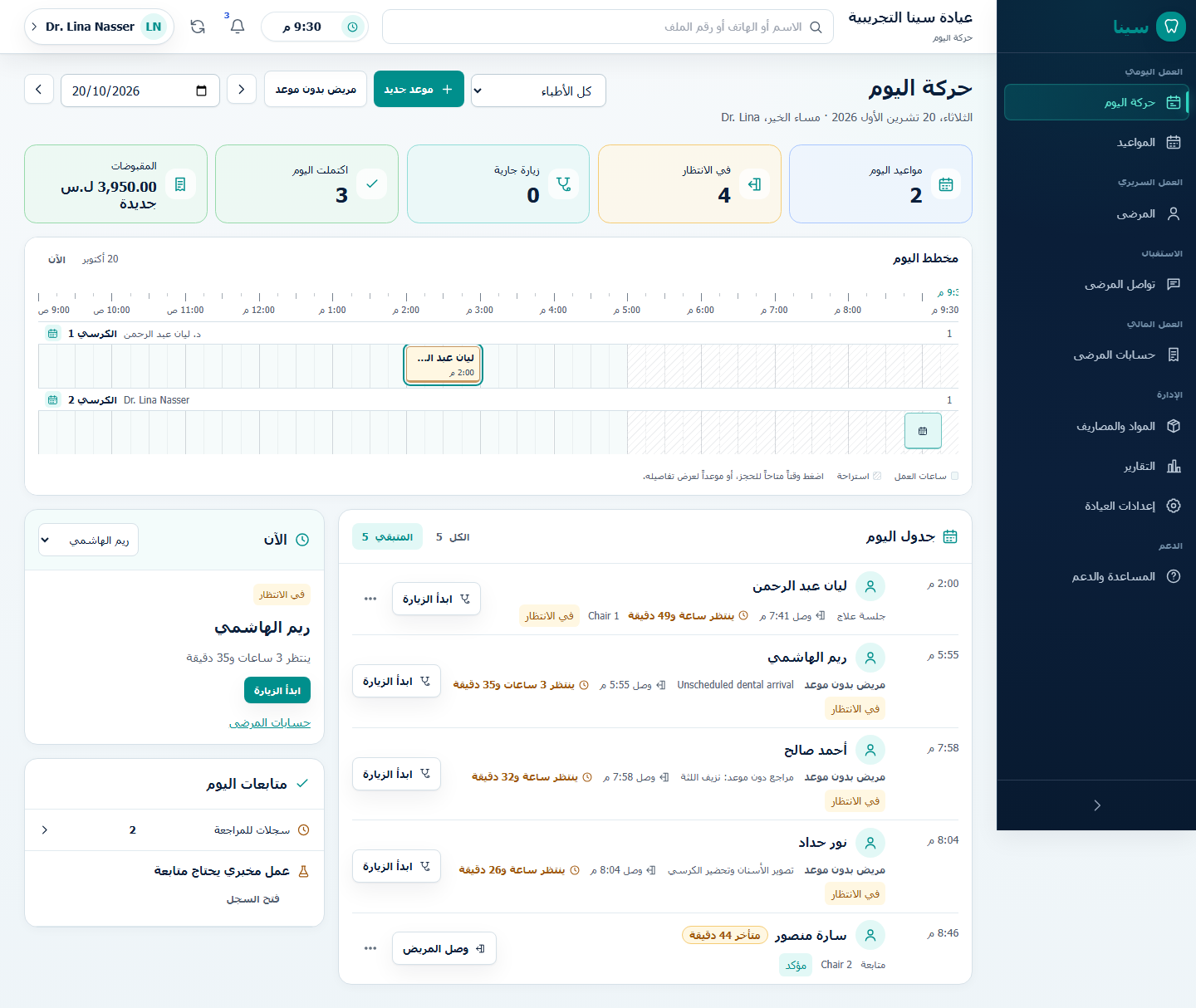
Daily Clinic Workflow

The Today workspace is the shared operational view for the current clinic date. It keeps a scheduled appointment, the patient's operational queue state, and the clinical Visit separate while presenting one clear next action.

Today Patient Movement

When both appointments and the operational queue are available, Today projects their technical states into mutually exclusive places. A patient appears once:

Visible placeMeaningPrimary action
Active-visit pulseTreatment has startedContinue Visit opens that patient's clinical context
Paused-visit pulseThe same treatment is temporarily pausedResume Visit persists the resume, then opens the clinical context
In clinic nowArrival is persisted; internal waiting, preparation, and ready states remain operational detailsStart Visit when permitted, or Open Record when start is not available
Not arrived yetA live appointment has no persisted arrival stateRecord arrival
Completed todayThe operational or appointment projection is completeOpen summary; no active-treatment action

The pulse shows an honest no-active state when nobody is in treatment. It does not nominate a mandatory “next patient.” The dentist may start any eligible patient in In clinic now, so a late patient cannot block someone who arrived earlier. If another Visit is already active, SINA directs the user back to that patient instead of silently creating a second active path.

Opening an appointment, Patient Record, or summary changes no state. Arrival, start, resume, completion, checkout, and departure remain explicit, permission-checked server actions.

Arrival, Waiting, And Lateness

  • Record arrival confirms that the patient is physically in the clinic. It creates or reuses the appointment's operational entry without changing the scheduled appointment time.
  • After arrival, the patient moves from Not arrived yet to In clinic now. The useful timing signal is then actual wait duration from the persisted arrival/waiting time.
  • Waiting rows follow arrival order for scanning, but that order is guidance, not a forced priority rule. SINA does not require drag-and-drop queue ranking.
  • “Late” is display-only derived data: clinic-local current time minus scheduled start, after the display grace. It applies only while the patient has not arrived and never changes the appointment, creates a no-show, or prevents another patient from starting.
  • No-show remains a separate explicit action with a reason. It is never inferred from lateness.

Walk-ins use the explicit operational workflow and are never represented by a fake placeholder appointment. Their available Today action follows the persisted queue state and the user's capabilities.

Safe Arrival Undo

After a newly persisted arrival succeeds, SINA offers Undo for 10 seconds only when the server marks that exact arrival as reversible. Undo removes the new operational arrival entry; it does not delete or reschedule the appointment.

The request includes the entry's expected version. The server accepts it only while the entry is still the same untouched arrived state and no Visit has been attached. A start, another queue update, a stale browser tab, or a concurrent user therefore blocks undo. SINA then closes the stale prompt, refreshes Today, and shows that the latest server state won. There is no generic undo for starting, resuming, completing, checkout, or departure.

Offline And Partial Failure

  • Offline Today may keep last-known content visible with its update time, but disables arrival, start, and resume. It never shows a local click as saved.
  • If appointments fail but queue data succeeds, known active and waiting patients remain visible while the scheduled section shows a local retry.
  • If queue data fails, Today cannot safely distinguish arrived from not arrived. It marks the active state and classification unavailable instead of putting every appointment under Not arrived yet.
  • A source failure is never translated into “no patients,” “no warnings,” or a successful action. Healthy sections remain usable for reading, and each unavailable section has its own retry.

Record Boundaries After Treatment

  • The appointment owns scheduled clinic time.
  • The operational queue owns arrival, waiting, checkout-pending, and departure.
  • The Visit owns active clinical execution, pause/resume, and completion.
  • Clinical completion does not issue an invoice, record a payment, schedule a follow-up, send a message, or mark departure automatically.
  • Mark departed and any follow-up request remain separate authorized actions.
  • Hidden navigation never replaces backend permission checks.

If an action reports a conflict, use the refreshed state instead of repeating the old action. If a patient is missing, search by Arabic or English name and phone before registering another record.

See Appointments, Active Dental Visit, and Checkout.